72days17:50:49Save up to 50% on Yearly Plans

Image and video intelligence inside Zilivo

Create connected visual worlds with Flux 3

Flux 3 brings image generation, video creation, editing, consistency, and visual reasoning into one creative model. Give it a prompt, references, an existing scene, or a larger brand context, then build polished assets that stay coherent from the first frame to the final campaign.

Visual intelligence

Flux 3 understands the system behind the image

Flux 3 connects identity, typography, physical relationships, and visual continuity. These scenes represent the production problems the model solves as one contextual workflow.

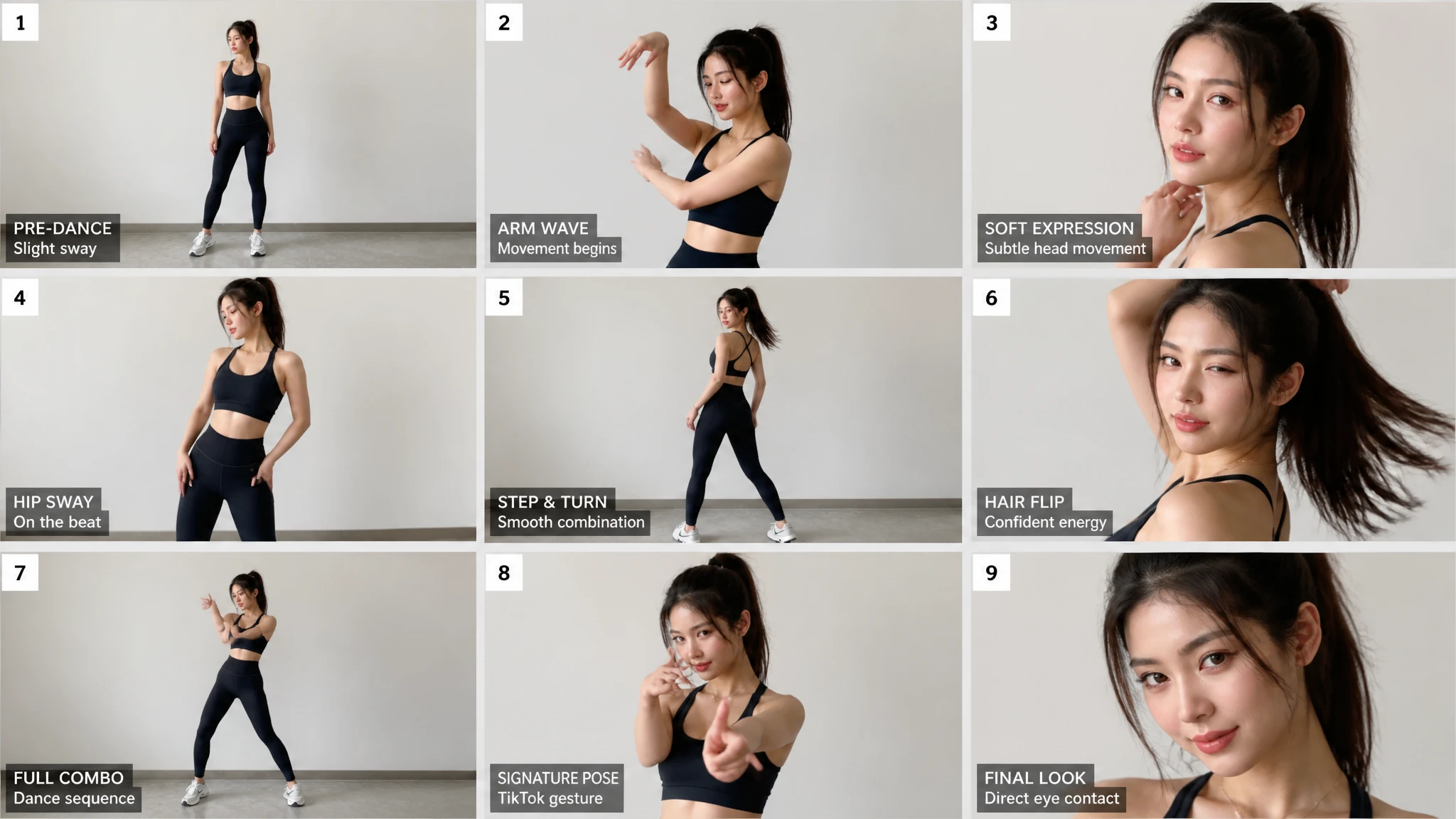
Flux 3 motion storyboard showing a dancer across nine consistent poses, expressions, and camera framings
01

A visual sequence ready to move

Flux 3 can turn a movement idea into a connected visual sequence before the first clip is rendered. A storyboard keeps the same performer, wardrobe, lighting, camera language, and emotional direction across poses and framings. That gives teams a clearer bridge from a still concept to video generation, choreography planning, shot design, and motion-aware creative production.
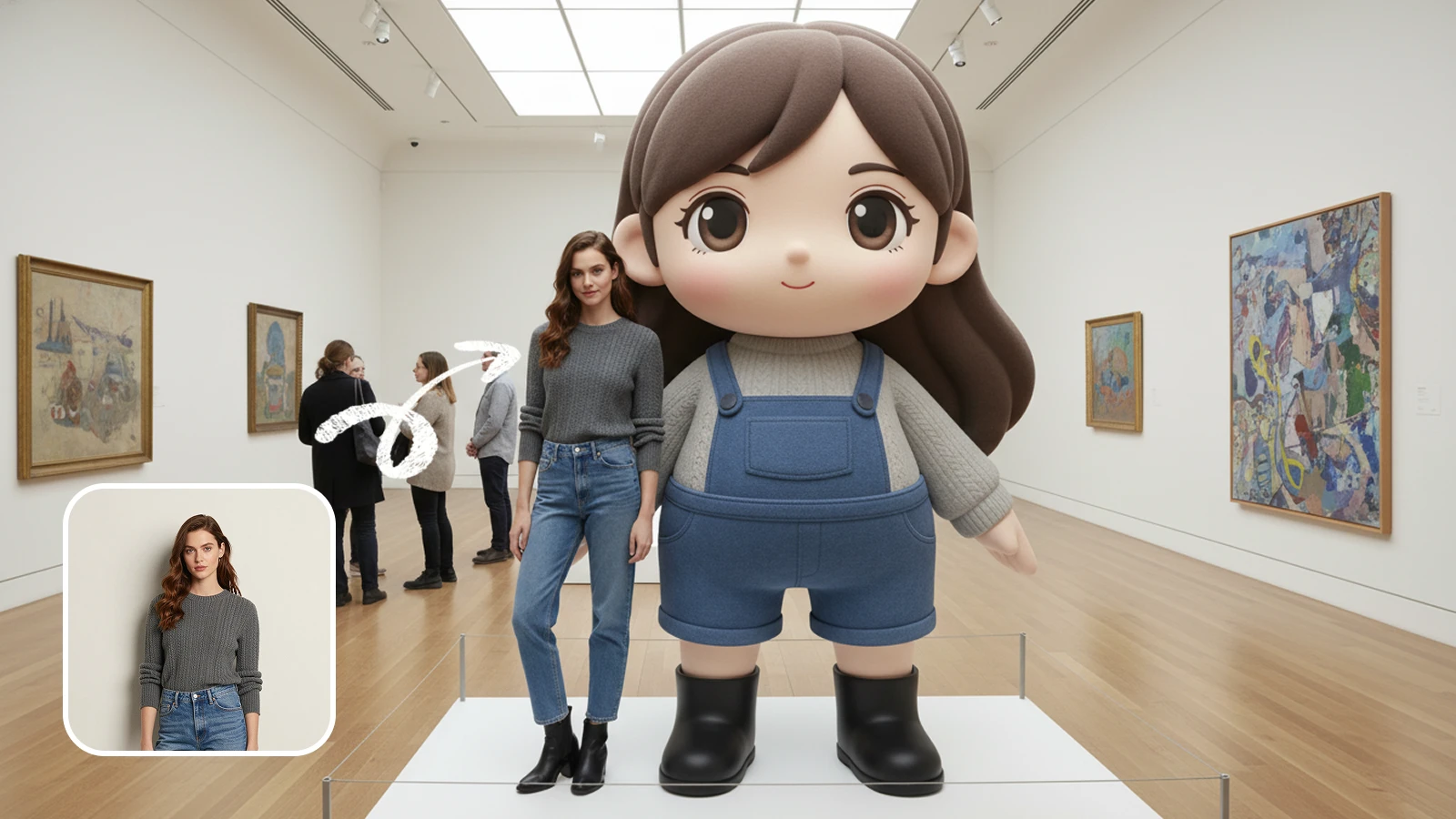
Flux 3 identity consistency example preserving the same person across hairstyle changes and an illustrated style
02

Identity that survives a new style

A consistent subject is more than a similar face. Flux 3 follows facial structure, expression, camera position, wardrobe, and environmental cues while changing hair, styling, or visual medium. Creators can move the same identity between realistic portraits, designed characters, illustrated scenes, and campaign variations while Flux 3 keeps the person recognizable and the sequence visually coherent.

03

Edits with physical relationships intact

Flux 3 reasons about the relationships inside an image before changing it. Ask for a different object, material, action, or camera treatment and the model carries the request through reflections, shadows, perspective, contact points, and motion. This visual reasoning helps a Flux 3 edit feel like a believable new moment rather than a disconnected patch placed over the original frame.

04

One visual world across styles and formats

Flux 3 carries visual context across a longer creative sequence. A character, environment, prop language, palette, and atmosphere can continue through editorial stills, storyboards, illustrated scenes, product moments, and motion concepts. Instead of chasing a single lucky image, creators use Flux 3 to develop a reusable world with enough continuity for comics, games, films, and episodic campaigns.

Contextual workflow

Move from a prompt to a complete visual system

Flux 3 works best when the brief explains both creative intent and continuity. Build the context once, make focused changes, and carry the same visual logic into every output.

01
Context

Build a visual context

Start Flux 3 with the subject, references, brand rules, existing image, and the relationships that must remain stable across the finished work.

02
Reason

Describe intent, not pixels

Tell Flux 3 what the scene needs to communicate, then define composition, lighting, material, typography, and physical constraints in natural language.

03
Continue

Continue the same system

Use each Flux 3 result as living context for the next edit, format, campaign asset, or motion-ready continuation instead of restarting from zero.

Production range

Where Flux 3 turns context into finished work

Use Flux 3 when a project must stay recognizable through edits, formats, scenes, and media. The model keeps the visual decisions connected while the creative direction evolves.

01

Campaign systems

Give Flux 3 a brand guide, product references, approved typography, and a campaign idea, then create connected launch images across channels and formats.

02

Character worlds

Keep the same face, wardrobe logic, camera identity, and environmental language across storyboards, comics, game concepts, and sequential scenes.

03

Product visualization

Place a product into new settings while preserving its shape, materials, labels, brand color, reflections, scale, and relationship to the scene.

04

Visual editing

Replace or refine a selected object while Flux 3 maintains lighting direction, focal length, physical contact, surrounding texture, and unchanged regions.

05

Design production

Develop logos, packaging, store mockups, social assets, web visuals, and editable creative directions from one connected visual brief.

06

Image to motion

Carry the subject, scene logic, and visual identity from a generated frame into video concepts and motion-aware creative continuations.

Flux 3 FAQ

Questions about Flux 3 visual intelligence

Flux 3 is a visual intelligence model for image generation, contextual editing, consistent creative production, and image-to-video workflows. Rather than treating each prompt as an isolated render, Flux 3 combines text, reference images, existing visuals, editing history, and scene context. It uses that combined brief to understand what should change, what must remain stable, and how the result should fit a larger creative system.

Build the next visual system with Flux 3

Start with a campaign, character, product, scene, or brand brief. Flux 3 turns that context into a connected workflow for generation, precise editing, structured design, consistent variations, and motion-ready creative development.

Generate with Flux 3